File System Creation & Access
File System Creation
Requirements
- Connection to the Storage Array
- Information on the OS of the client
Tasks
- Enter the Device Manager (https://192.168.128.101 or the IP of the port)
- Enter Services > File Service > File Systems
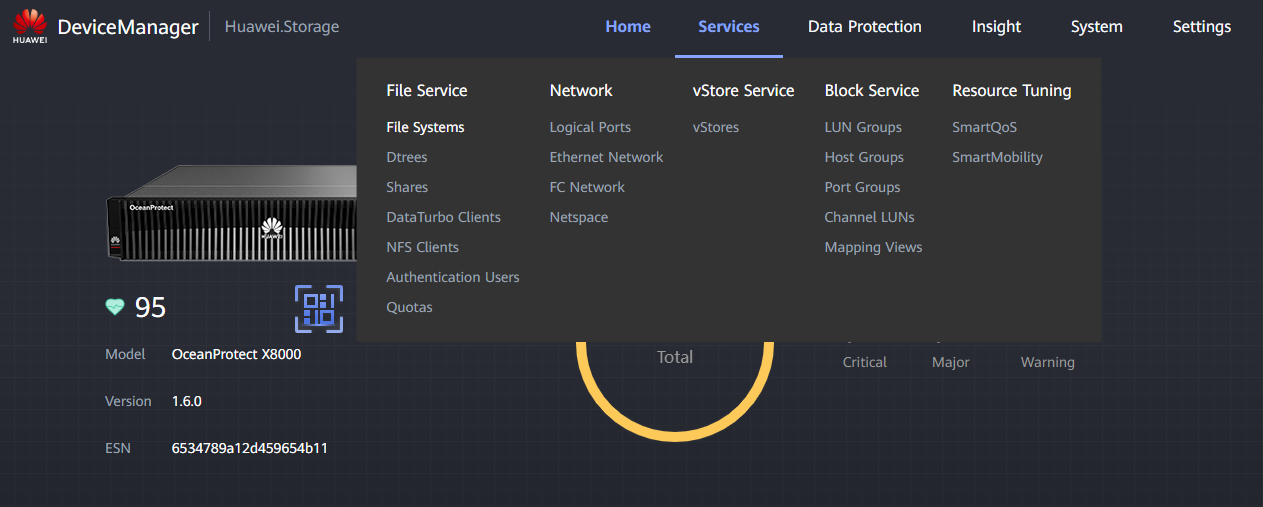
-
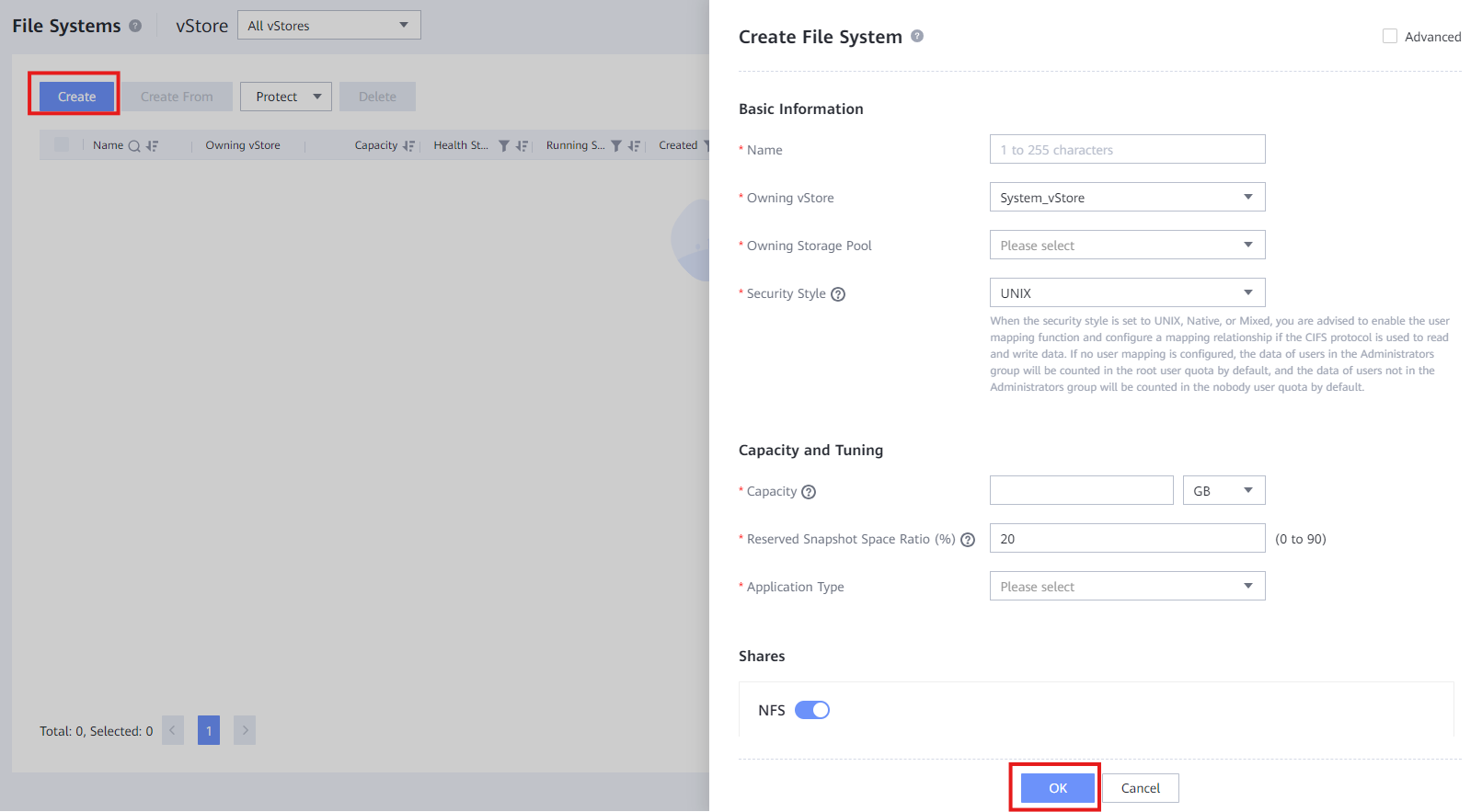
Click " Create " and fill the data:
-
Name : Descriptive name for the file system (e.g. FS_NFS_001)
- Owning vStore : Select the vStore decided by the client
- Owning Storage Pool : Select the Storage Pool decided by the client
- Security Style : Select UNIX if the OS is Linux or select NTFS if the OS is Windows
- Capacity : Designate a capacity for the File System decided by the client
- Reserved Snapshot Space Ratio : Designate snapshot space percentage (client)
- Application Type : Select normally Reduction_Prioritized_Mode
- Shares : Select the protocol(s) for the File System
- Protection : Select HyperCDP schedule if client wants data protection
- Click " OK " to create the File System
File System Access
Requirements
- File System created
- Correct access to the logical ports associated
UNIX File System
- Install ntfs-3g (Ubuntu):
- Create the directory to mount the NTFS:
- Mount the NTFS:
- Verify access to the File System:
Windows File System
- Open Command Execution (Win + R)
- Input:
- Use
and password to access with the local user 4. Verify correct access to the File System