Management Switching Networking
Requirements
- Storage Cabinet created on the canvas
Selecting Management Switch Model
- Select the IP Switch type to represent in design
- Drag & drop the Switch onto the canvas
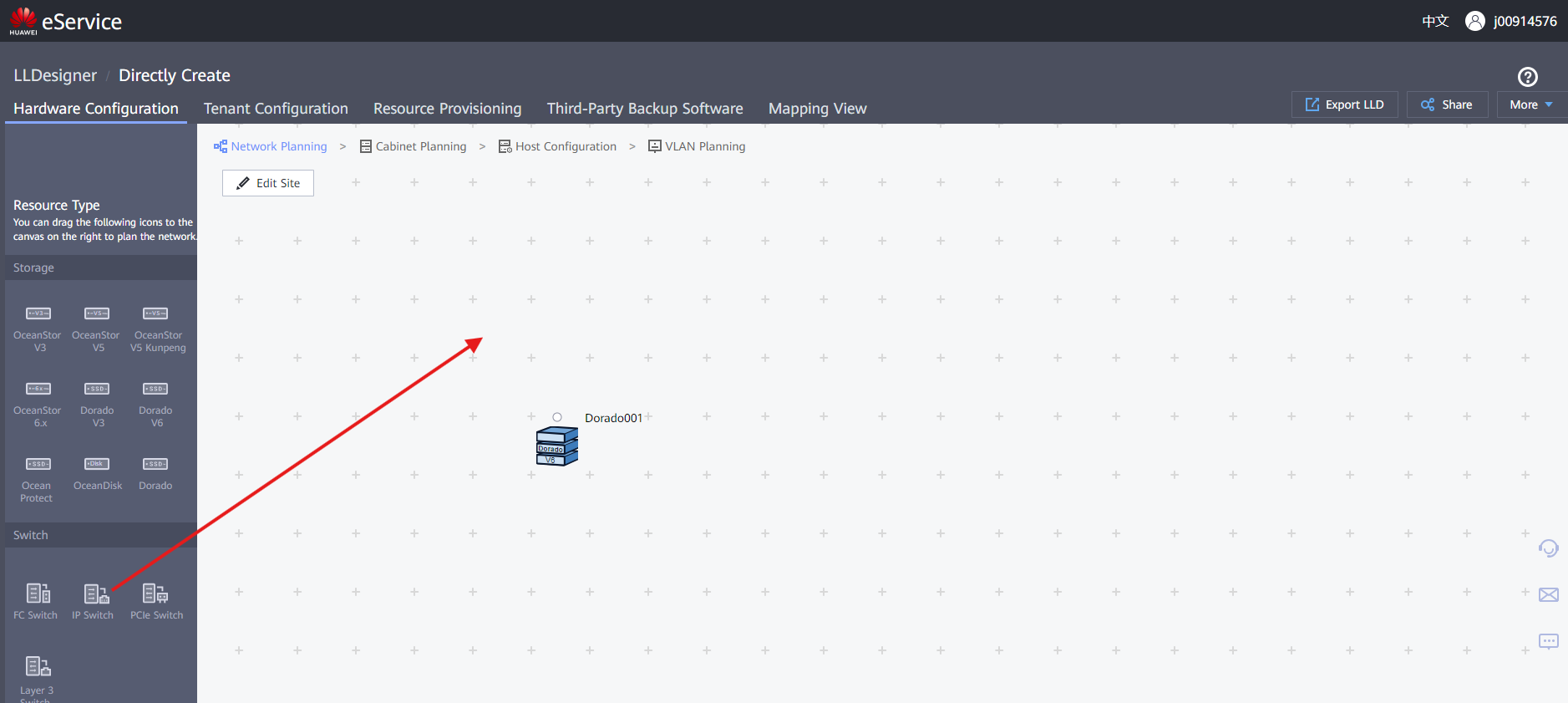
-
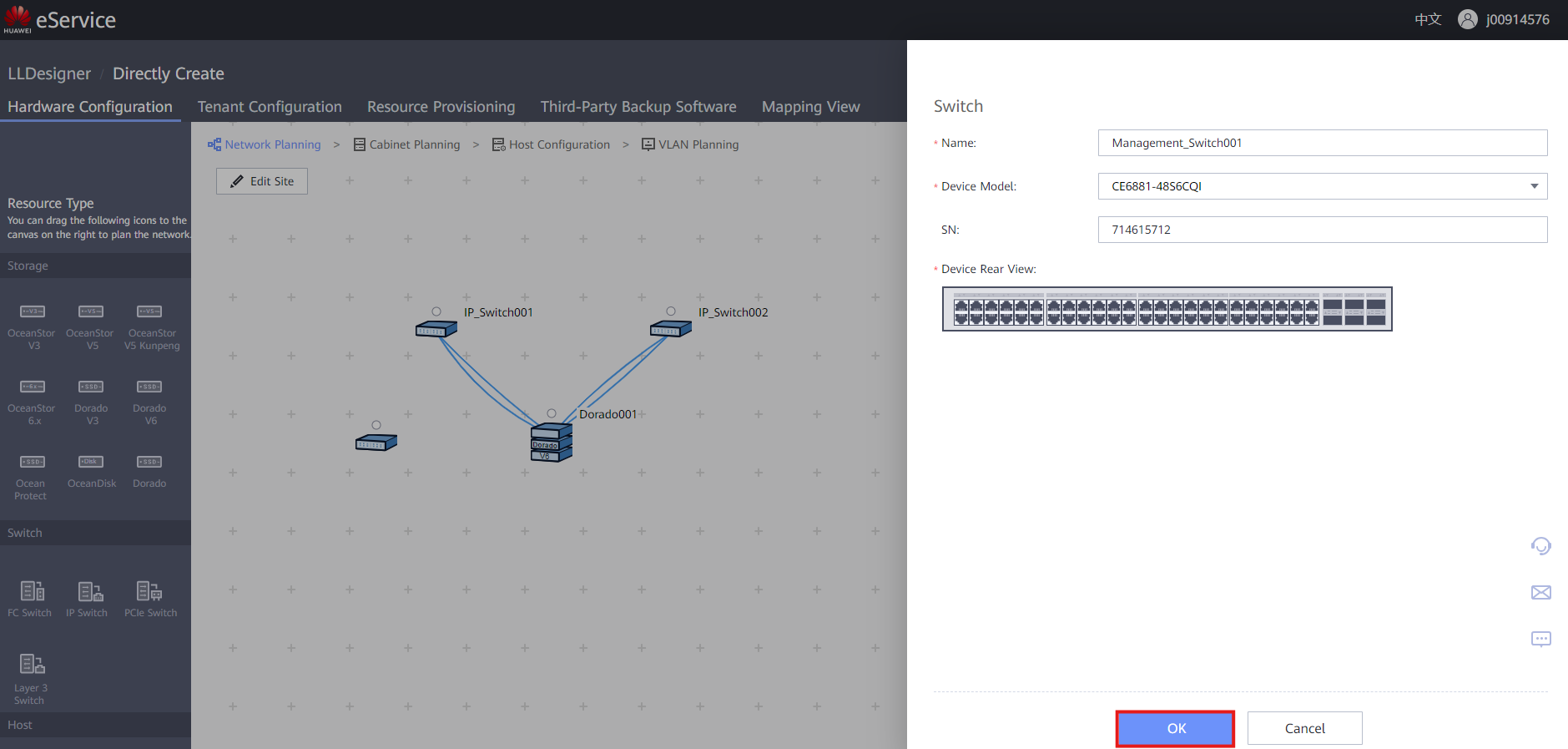
Fill out the information:
-
Name : Descriptive name for the Switch
- Device Model : Given by the client
- SN : Optionally include ESN of the Switch
- Click ' OK ' to create the Switch
Management Connection to Storage Cabinet
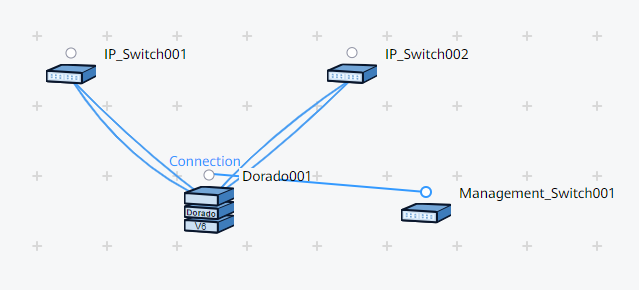
- Click on the Dot above the Switch and drag the connection to the Dot over the Cabinet
- Click on the desired Port on the Switch and drag the connection to the Management Port
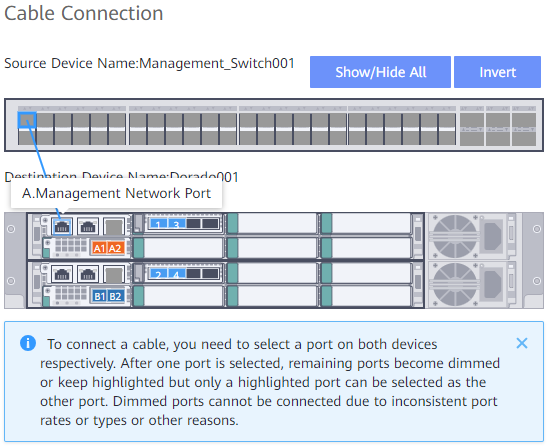
- Make sure to create a redundant link with the Interface Modules for best practice
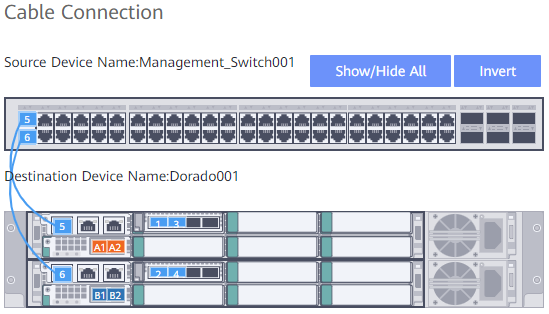
- Click ' OK ' to finish the Cable Connection
- Finished result should look like this