Set Maintenance Mode on Hosts
Definition
Maintenance mode is used to isolate the host from the entire system. In this way, maintenance operations, such as parts replacement, power-off or restarting can be performed on the host without affecting system services.
It is recommended to migrate all VMs on the Host before entering maintenance mode. No VMs can be created, started or migrated on a host in maintenance mode.
Tasks
- Access Resource Pool
-
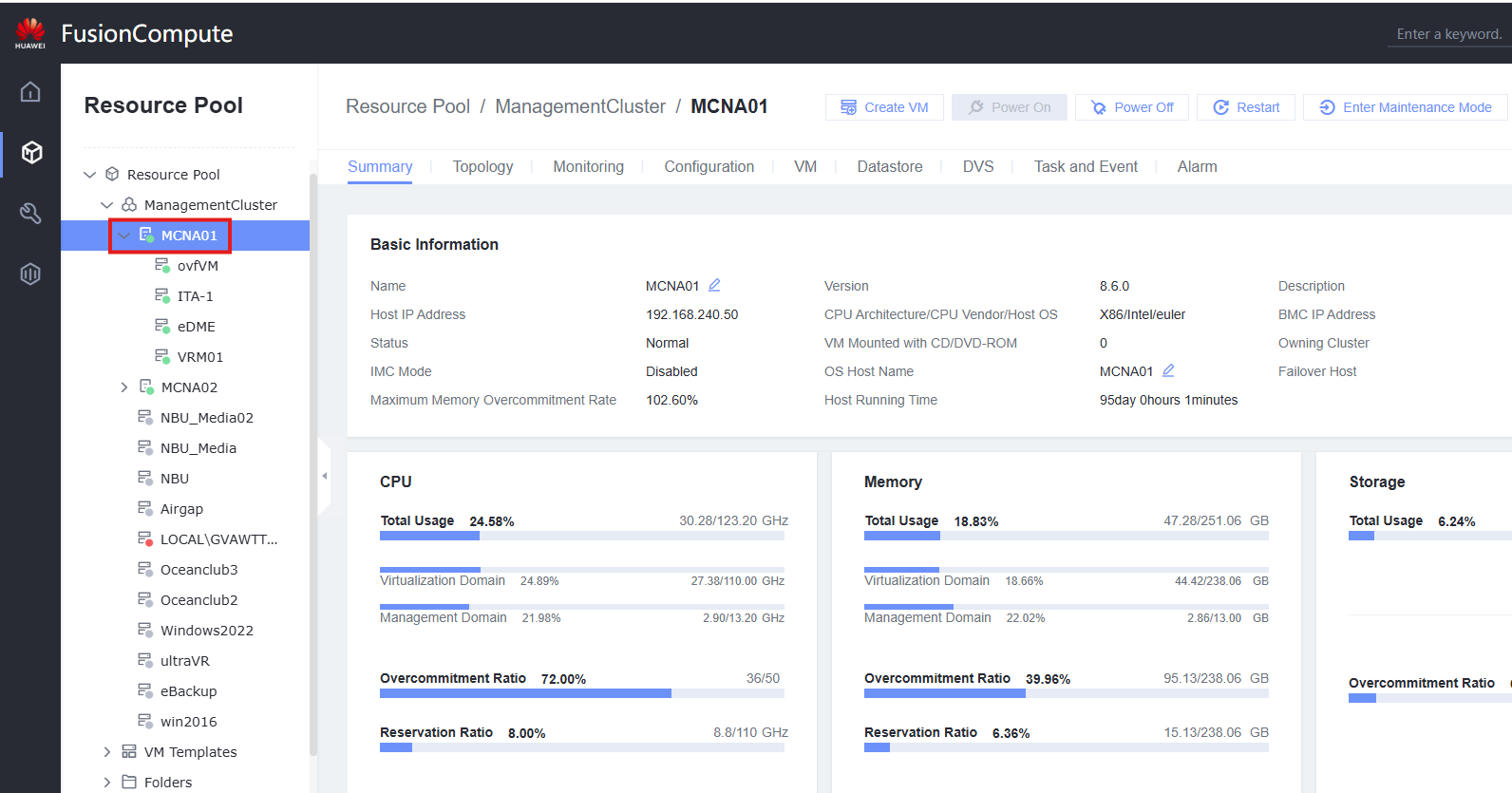
Select the host to enter Maintenance Mode
-
Click Enter Maintenance Mode
- Select Migrate all VMs on the host and click OK
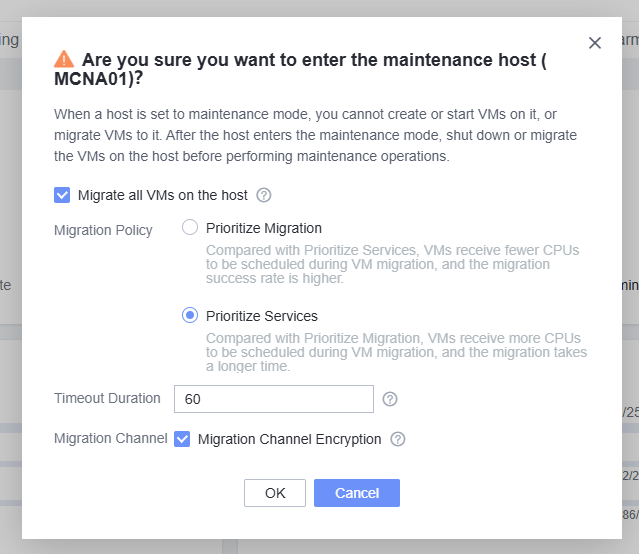
- Wait for the migration to be completed and start performing host operations. Maintenance mode can be stopped by clicking Exit Maintenance Mode