Main Version Upgrade
Definition
Storage systems have two firmware versions, the main and the patch. The main version includes major changes, while the patches are mainly used for bug fixing. There are several patches for each main version.
It is crucial to perform a Pre-Upgrade Evaluation before upgrading any storage system.
Requirements
- Positive Pre-Upgrade Evaluation: Pre Upgrade Evaluation
- Smart Kit with all functions installed: SmartKit Download
- Main Software and Patch downloaded: Software Download
- Management IPs of the Controllers (given by customer)
- Ethernet (RJ45) Cable for connection
Tasks
- Connect to the Controller through the RJ45 cable
- Open the SmartKit Software
-
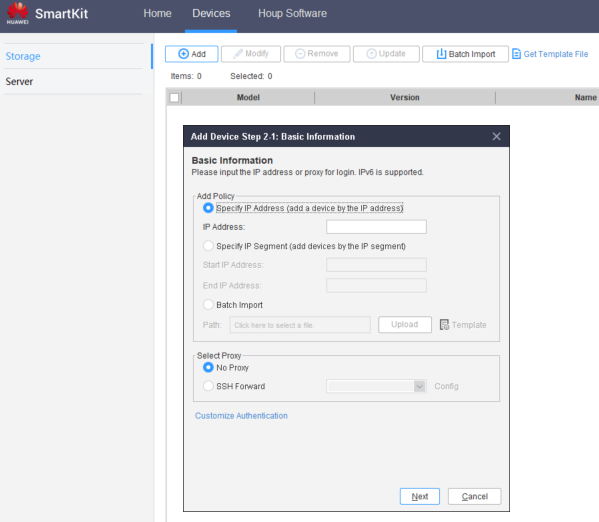
Add the device if it's not there already in Devices > Add:
-
IP: Use the management IP of the controller
- User: admin
- Pass: Admin Password (given by customer)
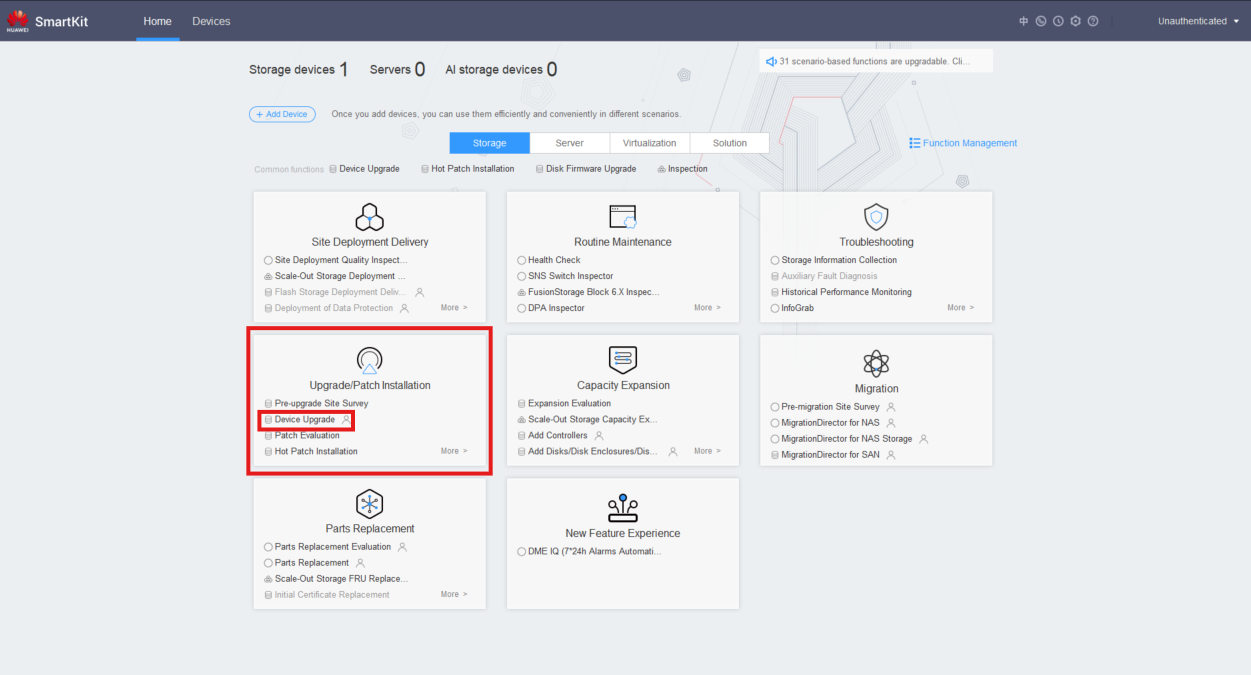
- Go to Upgrade/Patch Installation > Device Upgrade > Upgrade Policy Setting
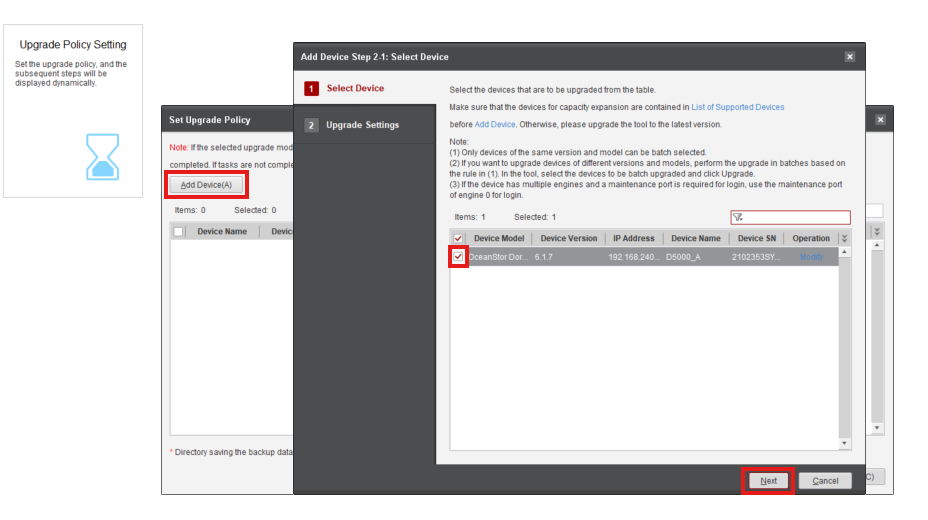
- Select the Device to update
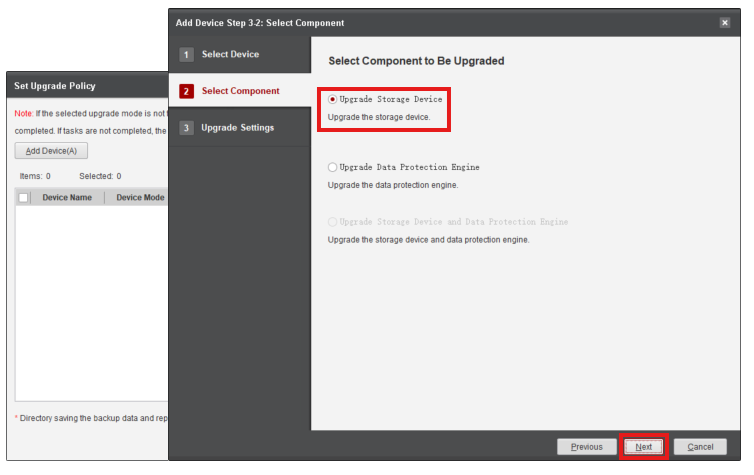
- Select Upgrade Storage Device
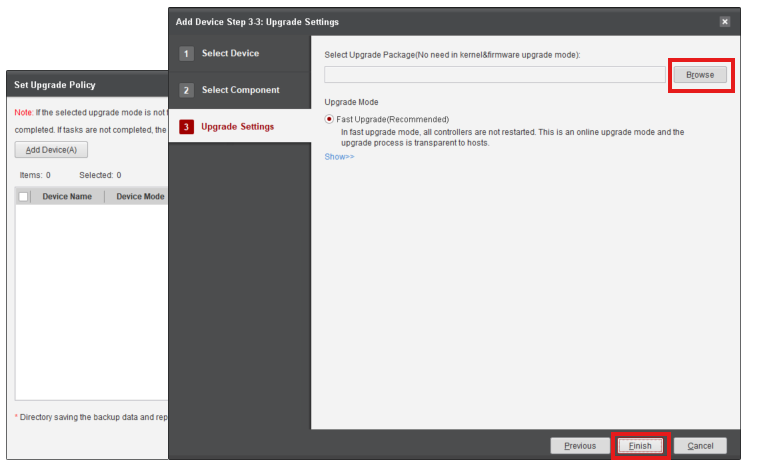
- Browse for the Main Update file and press Finish
- Click Modify and select the Patch Update to include the Patch after the Main Update finishes
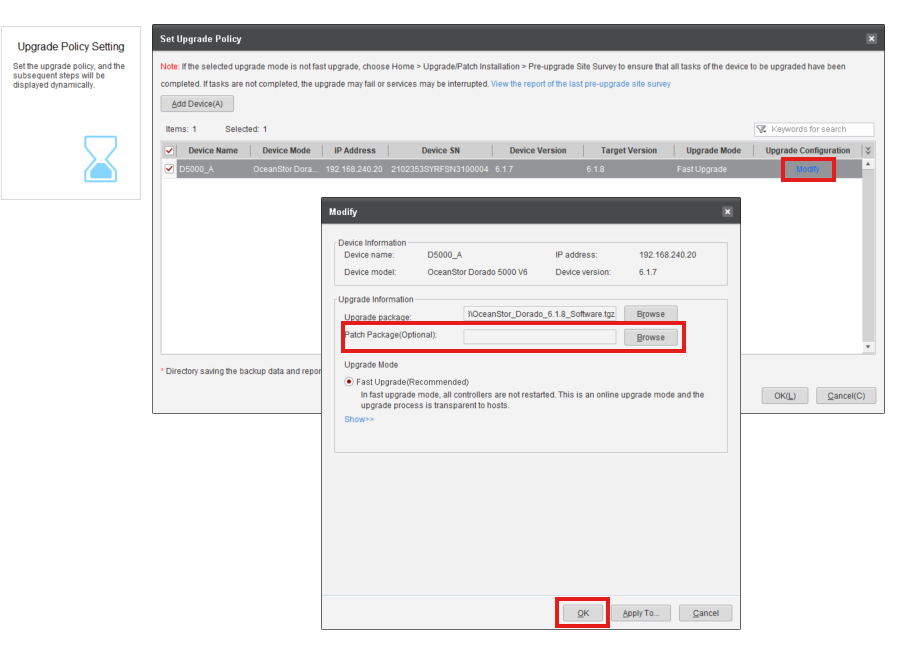
- Click OK to start the Device Upgrade