Block HyperCDP
Definition
HyperCDP (or Continuous Data Protection) is a data protection technology based on CDP Objects and Schedules. By programming a CDP Schedule, it is possible to create up to a HyperCDP object every few seconds. HyperCDP Objects can be used as Snapshots, where it is possible to perform a rollback to a previous state.
Requirements
- File System created and accessible
Tasks
- Enter the Device Manager (https://192.168.128.101:8088 or the IP of the port)
- Go to Data Protection > Plans > Block HyperCDP
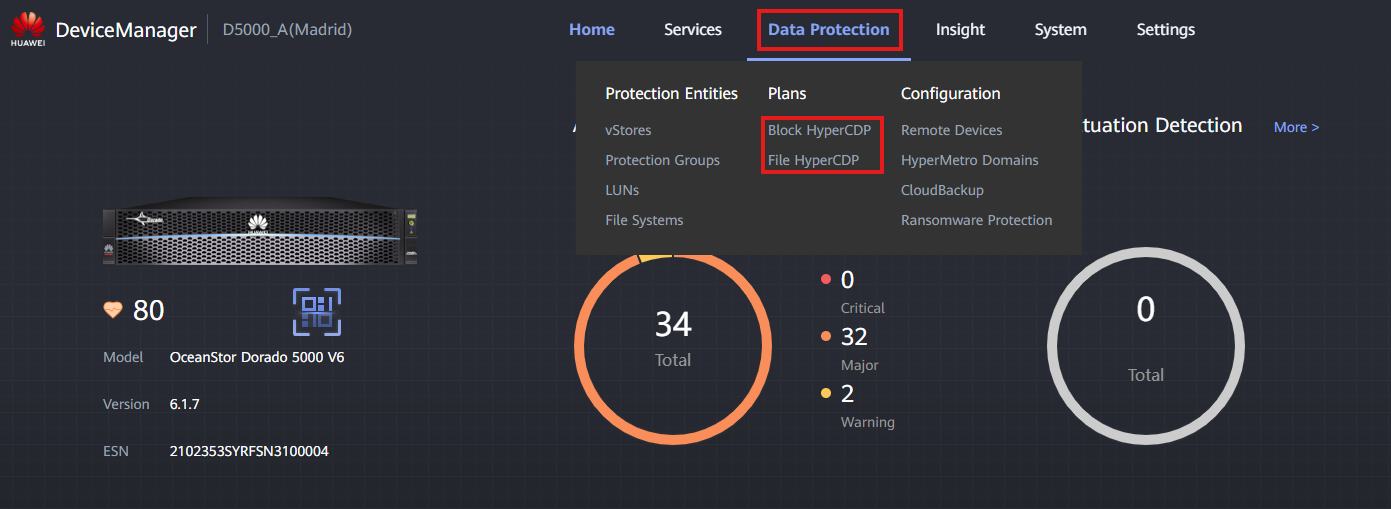
- Press 'Create' button under HyperCDP Schedules
-
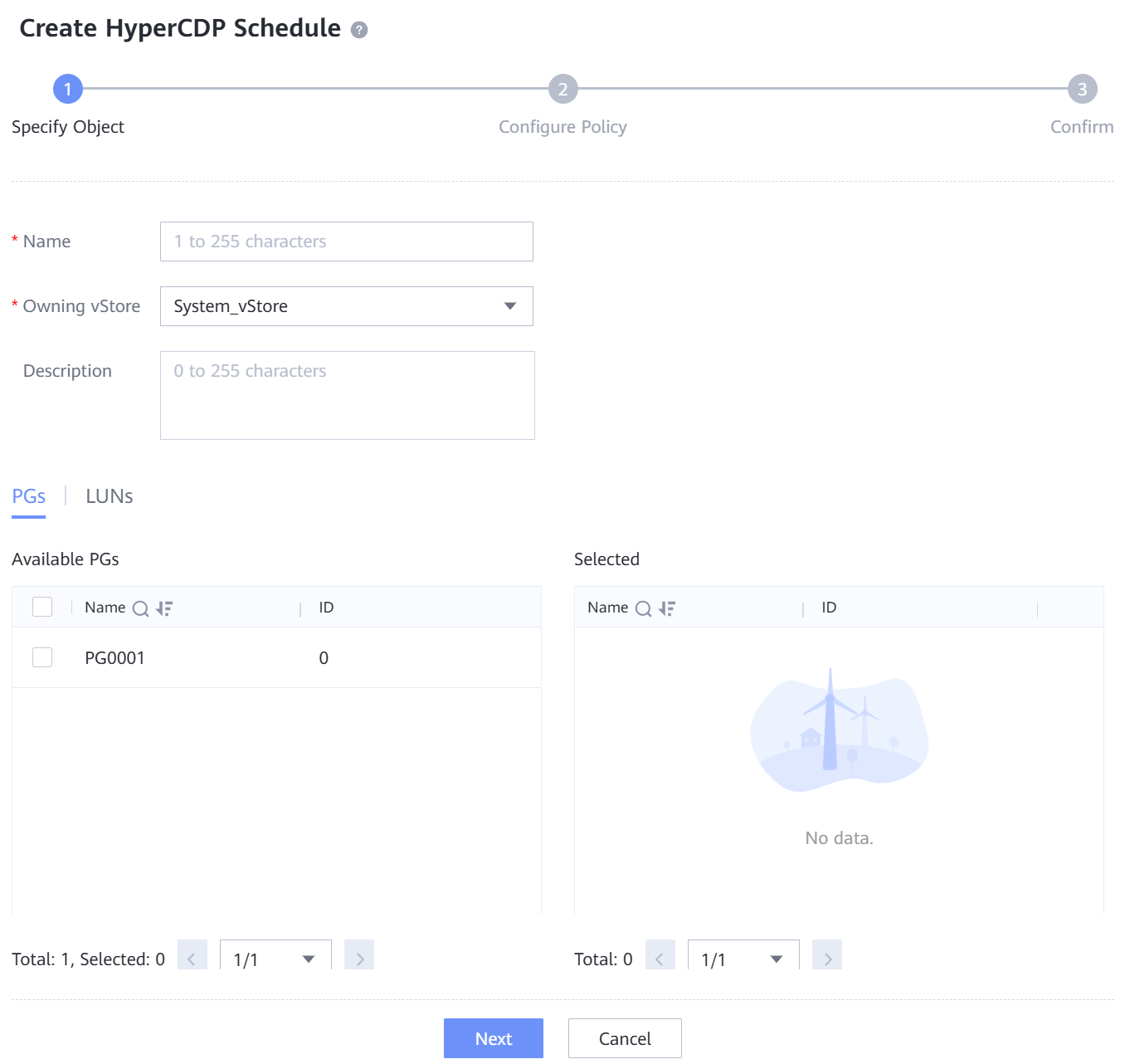
Fill out the data for Step 1:
-
Name: Descriptive name for the HyperCDP Schedule
- Owning vStore: vStore that contains the desired File System(s)
- Available PGs / LUNs: Select the Protection Group(s) or LUNs to apply the HyperCDP Schedule to.
-
Fill out the data for Step 2:
-
Fixed Period: Select the frequency of creation of HyperCDP Objects (similar to Snapshots)
- Secure Snapshot: HyperCDP objects won't be modified until retention period expires
- Retention: Automatically determine how many HyperCDP objects are kept in the system
- Specify Time: HyperCDP Objects can be created at specific time points (daily, weekly, ...)
- After the configuration is done, the HyperCDP Schedule and the first HyperCDP Object will be created. Using this object, it's possible to perform a Rollback to the specific point-in-time of creation.