vStore Creation
Use
vStores along with Logical Ports are used to isolate networks. This can be used to dedicate a network to a specific environment (development, preproduction, ...) or to divide departments inside a company.
Requirements
- Connection to the Controller through the Management Port (RJ45 cable)
- Virtual Storage requirements (GB / TB)
- Logical Ports to use from client
Tasks
- Enter the Device Manager (https://192.168.128.101 or the IP of the port)
- Go to Services > vStore Service > vStores
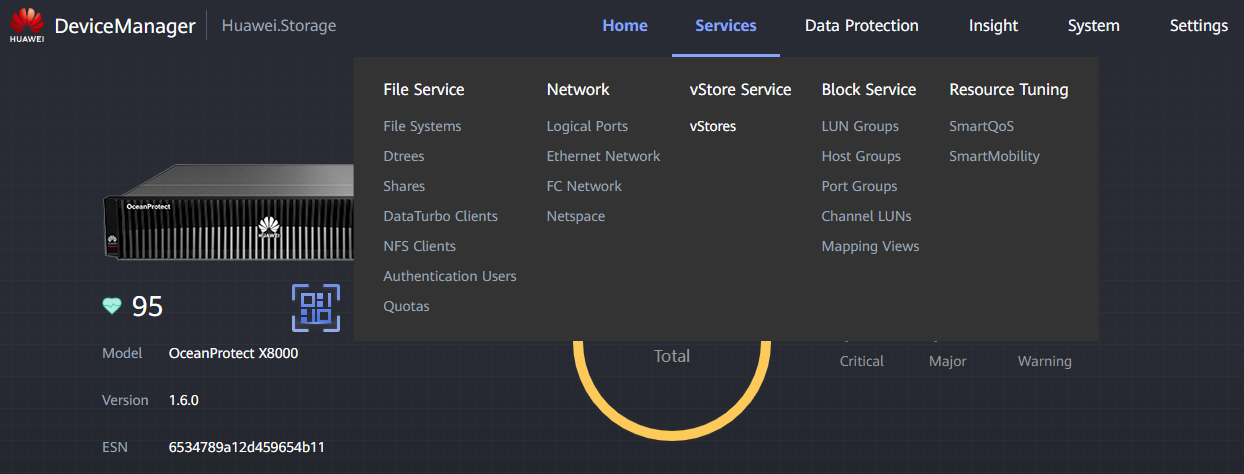
-
Click Create and fill the data:
-
Name : Descriptive name for the vStore (e.g. VS_DEV)
- NAS Capacity Quota : Storage that will be Virtualized
- SAN Capacity Quota : Storage that will be Virtualized
- Description : Useful description for the vStore utility
- Associate with Storage Pool :
- Select Custom
- Click Selected: 0
- Select the previously created Storage Pool
- Click OK to finish Storage Pool association
- Associate with FC Port (Fibre Channel) :
- Select Custom
- Click Selected: 0
- Select the desired FC Ports ( Interface Module )
- Click OK to finish FC Ports association
-
Logical Ports Selection :
-
If you have already created the Logical Ports , select them from the menu
- If not, click Add and create them through this menu, then select them
- Click OK to create the vStore