Pre Upgrade Evaluation
Main Version Update
Requirements
- Target Main version of the update (e.g. 6.1.6 for OceanStor Dorado)
- Connection to the Storage Cabinets
- SmartKit Tool Upgrade Evaluation Package Installed
Tasks
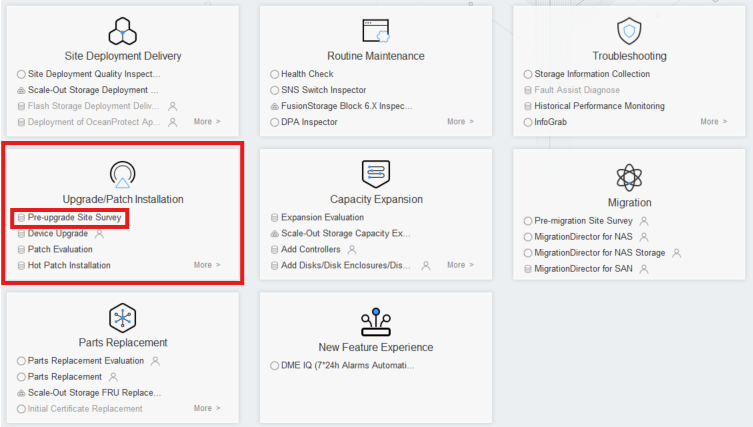
- Enter: Upgrade/Patch Installation → Pre-upgrade Site Survey
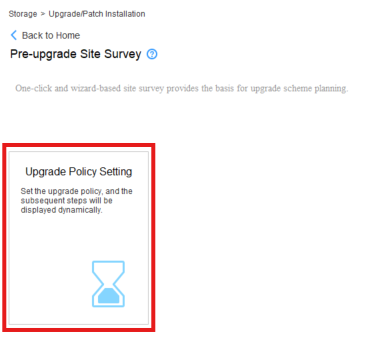
2. Start the process by clicking Upgrade Policy Setting
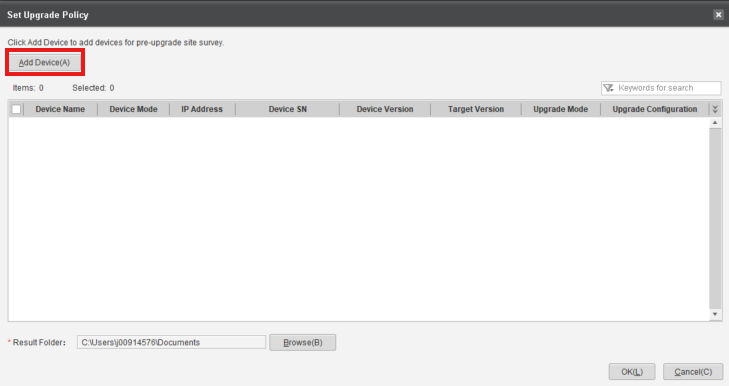
3. Click 'Add Device' Button
4. Click 'Add Device' highlighted text
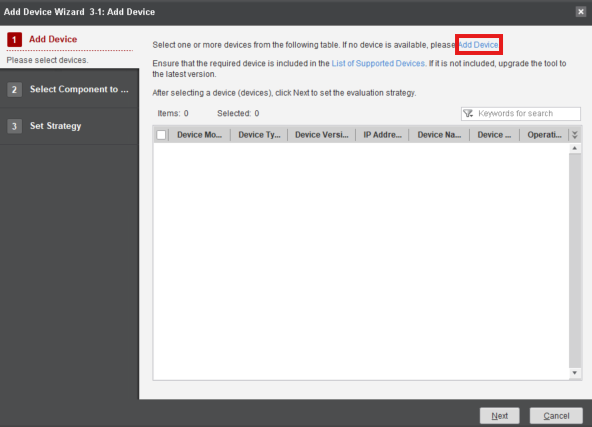
5. Input the IP and Credentials of the Storage Device
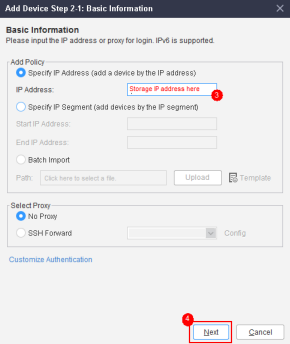
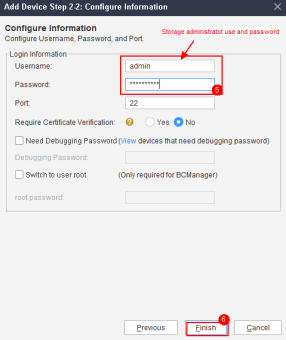
6. Select the Added Devices in the Set Upgrade Policy screen
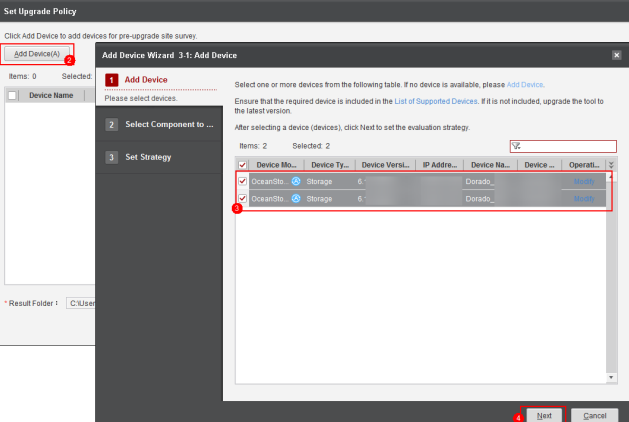
7. Click 'Next' on the following screen 8. Input the target version (e.g. 1.6.1 for OceanStor Dorado Cabinets) and click 'Finish'
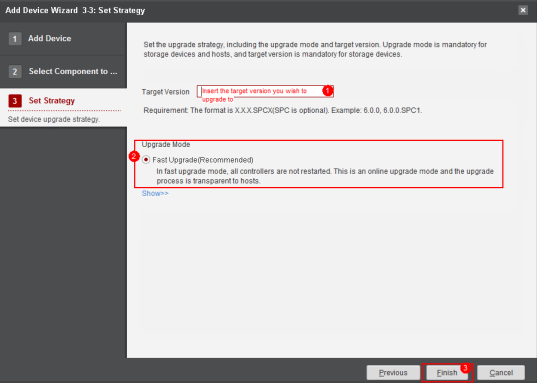
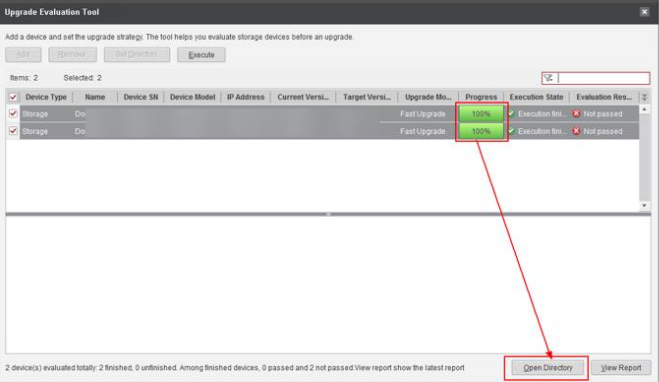
9. Click 'OK' on the following screen 12. After the Policy Setting is completed, click Array Upgrade Evaluation and Execute it

-
After the process is completed, click 'Open Directory' to obtain the files
14. After saving the files, proceed with the next step: 'Array Information Collection'
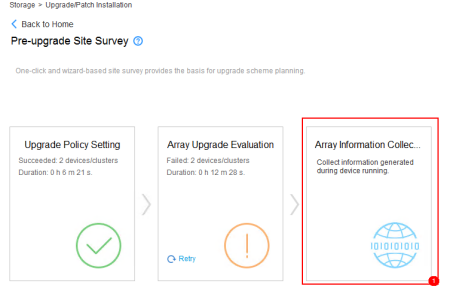
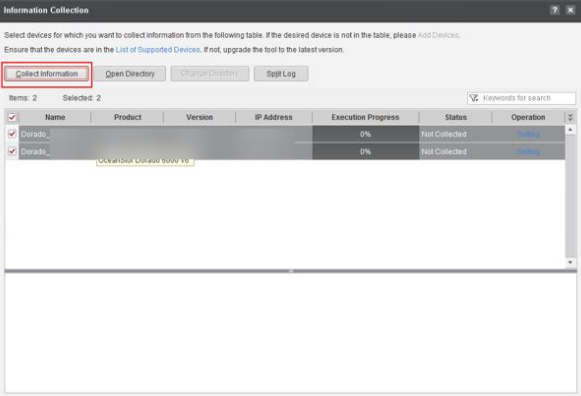
15. Select the Storage Cabinets and click 'Collect Information'
16. After the process is finished, click 'Open Directory'
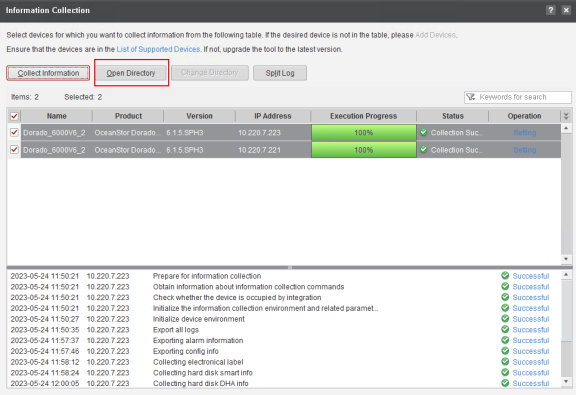
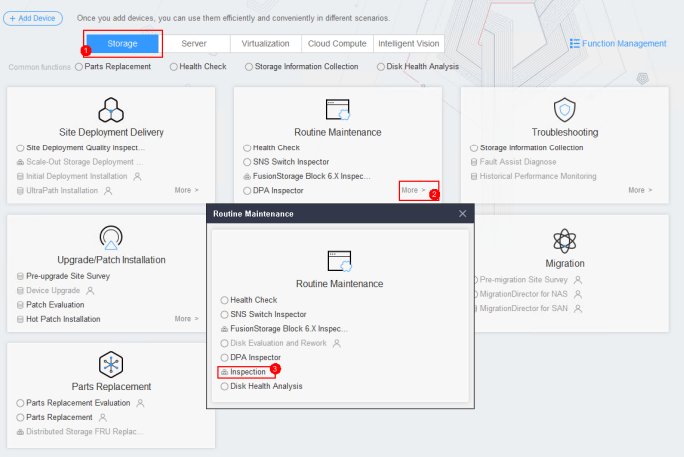
17. Send both of the files obtained to the File Upload provided 18. Collect the Inspection logs through: Routine Maintenance > More > Inspection
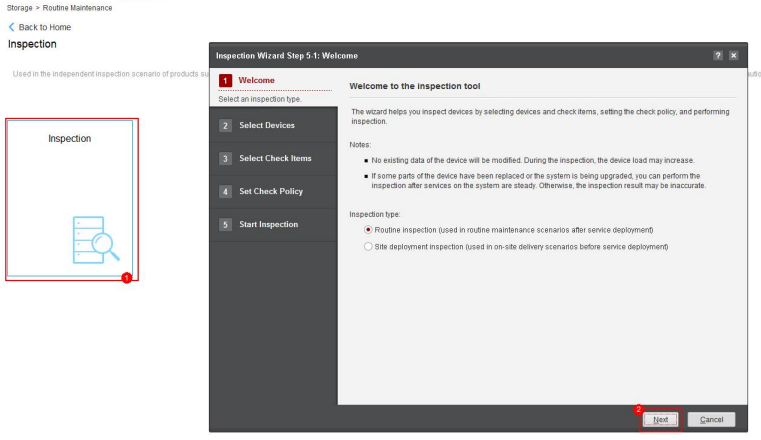
19. Click 'Inspection' and 'Next' on the following screen
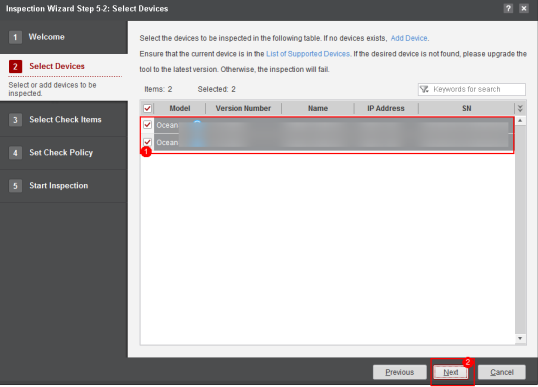
20. Select the Storage Cabinets and click 'Next'
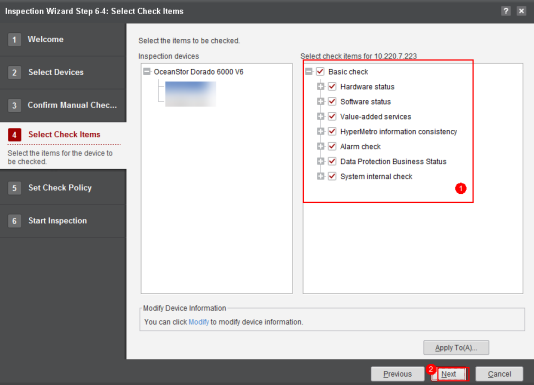
21. Make sure that all boxes are checked and click 'Start'
22. After the process is complete, save the files and click 'Finish'
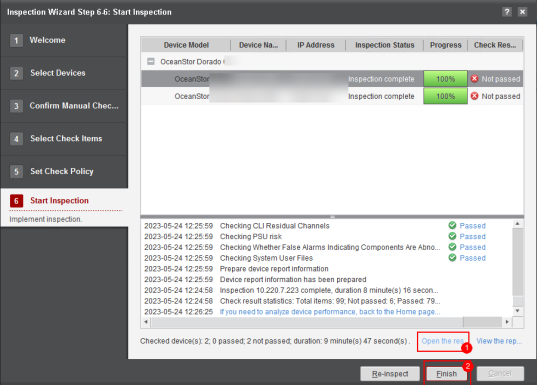
23. Send the files to the File Upload provided