Disk Firmware Upgrade
Requirements
- Smart Kit with all functions installed
- Disk Firmware downloaded
Tasks
- Open the SmartKit Software
-
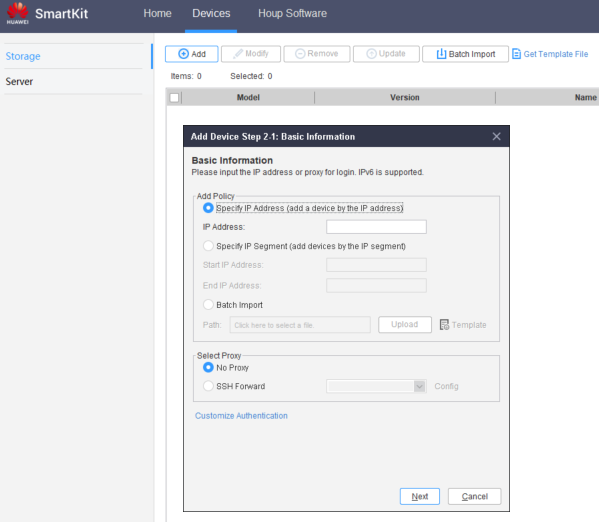
Add the device if it's not there already in Devices > Add :
-
IP : Use the management IP of the controller
- User : admin
- Pass : Admin Password (given by customer)
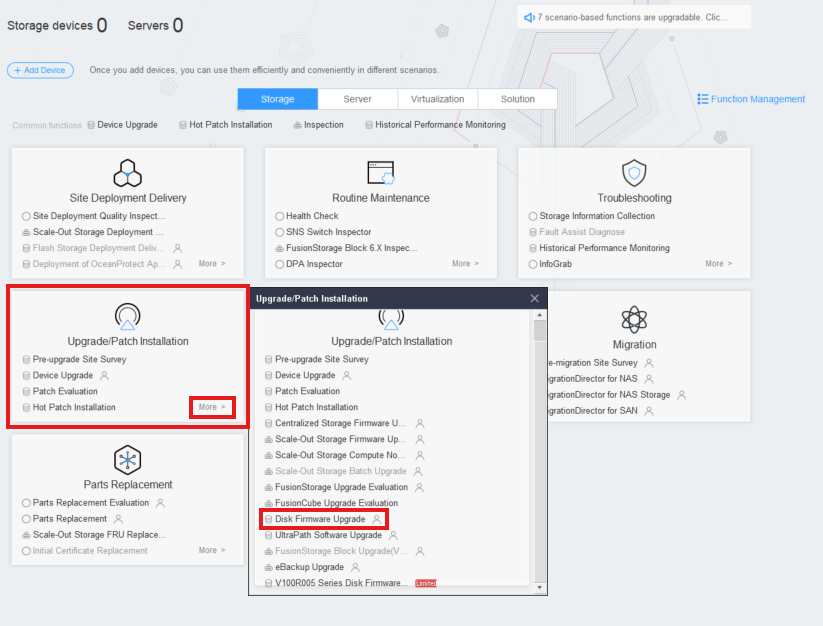
 3. Go to Upgrade/Patch Installation > More > Disk Firmware Upgrade
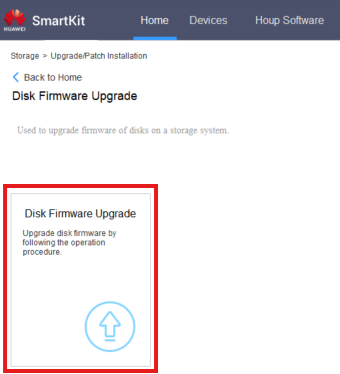
 4. Click ' Disk Firmware Upgrade '
 5. Click ' Add Device ' and select the required Storage devices
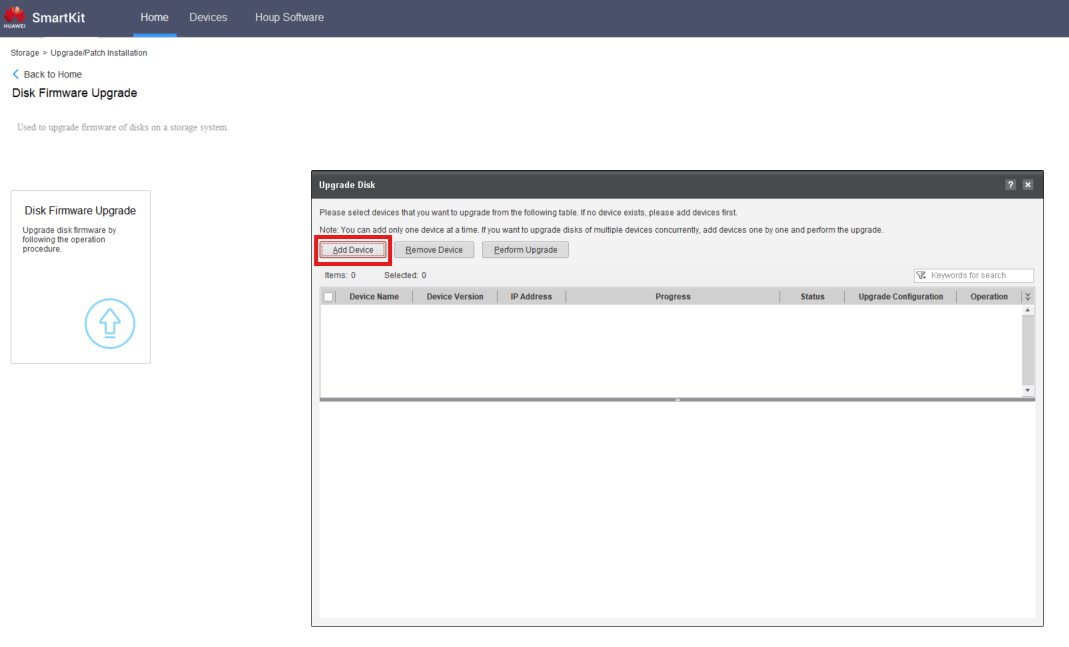 6. Follow the upgrade process