VM Moving Between Hosts
Definition
Virtual Machines (or VMs) reside in a Host and use its resources to perform their intended services. Using FusionCompute, it's possible to migrate simply and without risks or downtime a VM between hosts.
Tasks
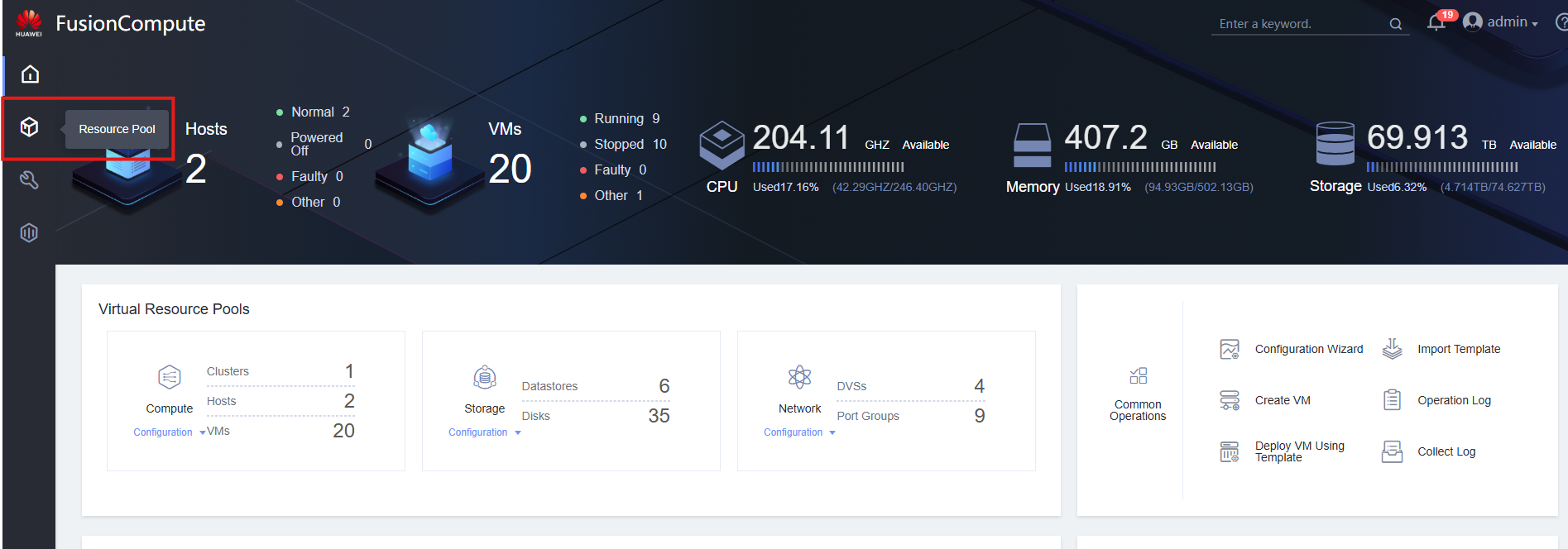
- Access Resource Pool
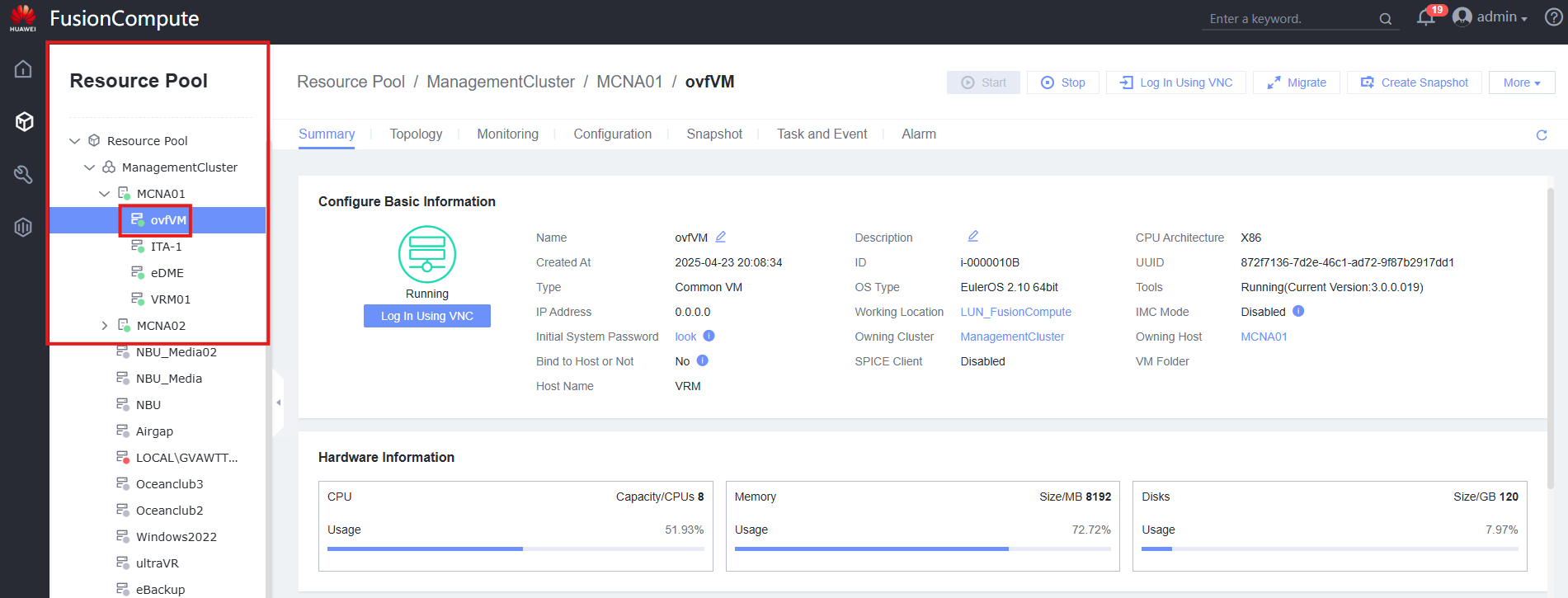
- Select the desired VM to move
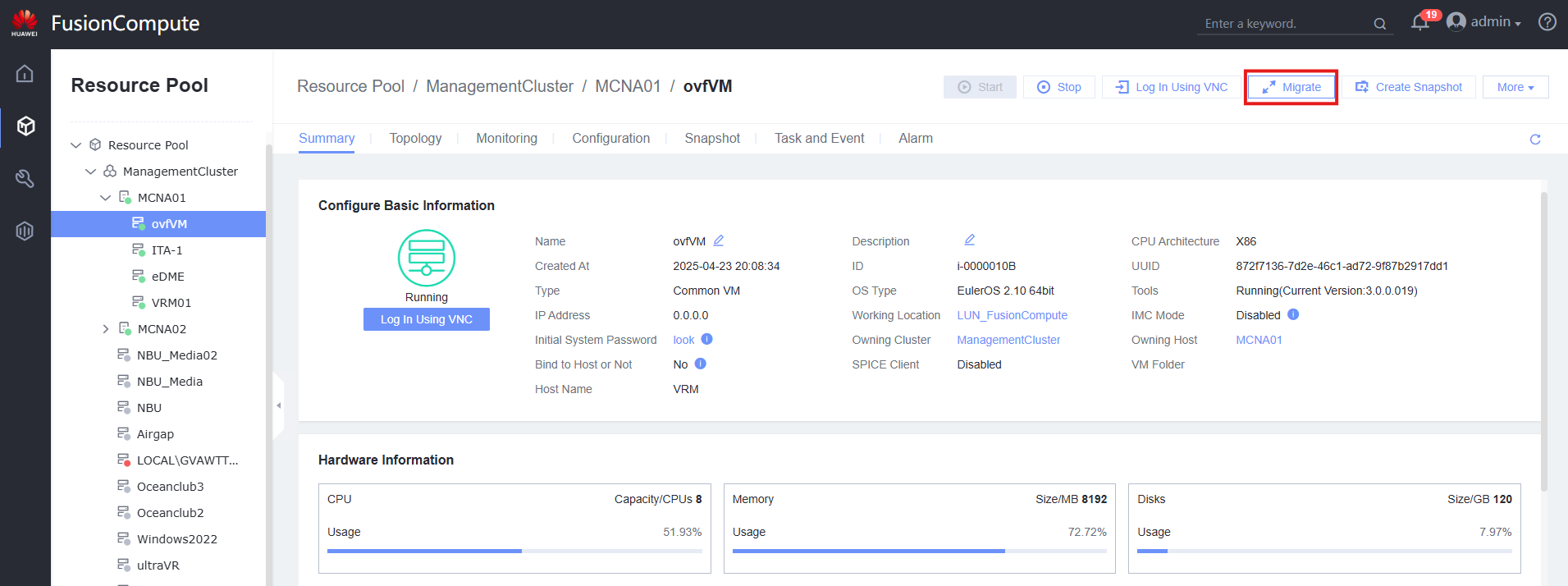
- Click Migrate button
-
Select parameters:
-
Select Migration Mode: Select Change Host
- Migration Policy: Normally selected Prioritize Services for no downtime
- Timeout Duration: Time to consider the migration a failure
- Migration Channel: Encrypts the migration process
- Select Destination Host: Select the Host that will receive the VM
- Bind to the Host: Stops the VM from being migrated automatically to other Hosts for load-balancing
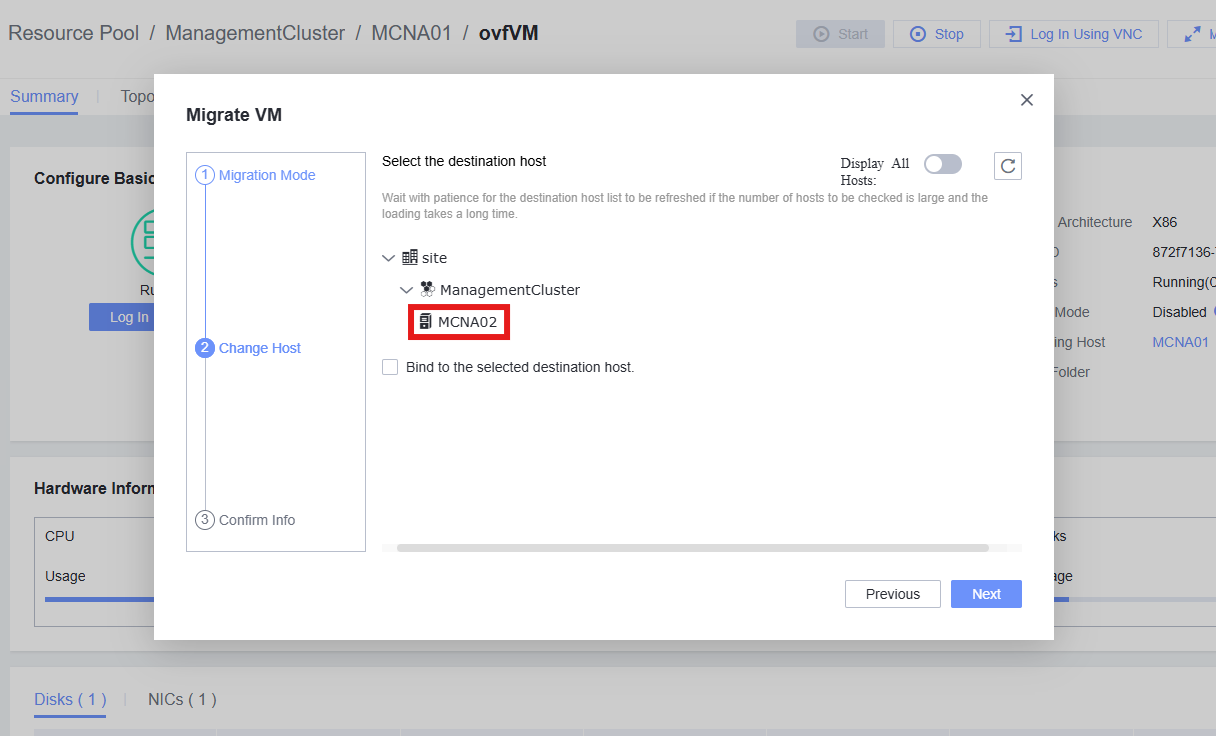
- Press OK to start the Migration. Process can be viewed on the Recent Tasks tab