LUN Snapshot
Definition
The Snapshots are a data protection technology. They are point-in-time copies of a specific LUN. They can be used to recover data, to perform a rollback on the LUN, or to store a specific state of the storage device.
It is possible to create Snapshots when the Storage System has HyperMetro configured. In this case, the Snapshots are stored on both devices for high availability and the HyperMetro pair is selected.
Requirements
- LUN created ([[LUN Creation]])
- HyperMetro Pair created (only for devices in HyperMetro)
Tasks
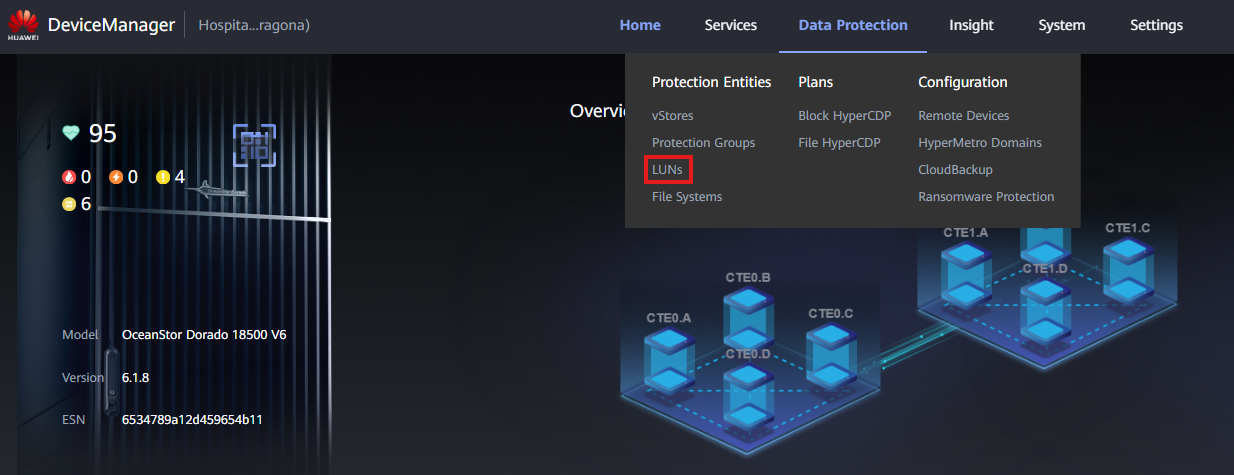
- Enter the Device Manager (https://192.168.128.101 or the management IP)
- Go to Data Protection > LUNs
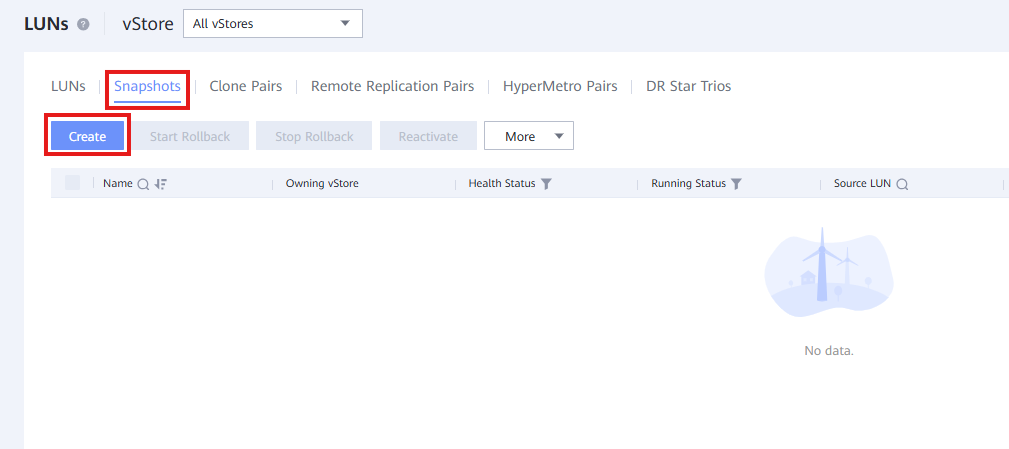
- Click 'Snapshots' on the top navigation bar
- Click the 'Create' button
-
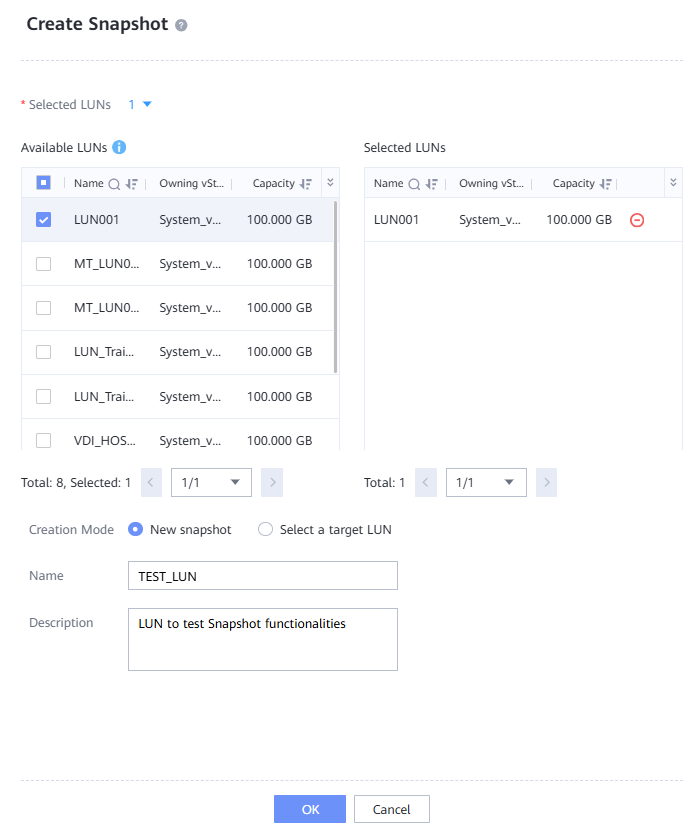
Fill out the data:
-
Selected LUN: Add the LUN that will have a Snapshot created. In case the Devices are on HyperMetro, the Snapshot must be created from the HyperMetro Pair.
- Creation Mode:
- New Snapshot: Creates a new snapshot (LUN) for this original LUN.
- Select a target LUN: Uses an existing LUN to become a snapshot for this LUN.
- Name: Descriptive name for the Snapshot
- Description: Snapshot description